Official US Reseller — Blackbox Solutions
A parts-store scanner sees your engine. The Nanocom sees the whole truck — body control, ABS/traction, airbags, transmission, instruments — and lets you do something about it. I run one on my own Discovery IIs. Now I sell the full line, stocked and shipped from Virginia.
Blackbox's own video: programming a key on a Discovery II.
▸ Full description (top of page - on the left)
▸ Compatibility — which license do I need?
▸ Our price vs. ordering direct from Cyprus
▸ Manuals & ECU guides for your truck
▸ FAQs — which tool do I need?
▸ Nanocom Documentation Library
Official US Reseller
Designed, manufactured and supported by Blackbox Solutions.
Sold and shipped in the US by Extinct Motorsports.
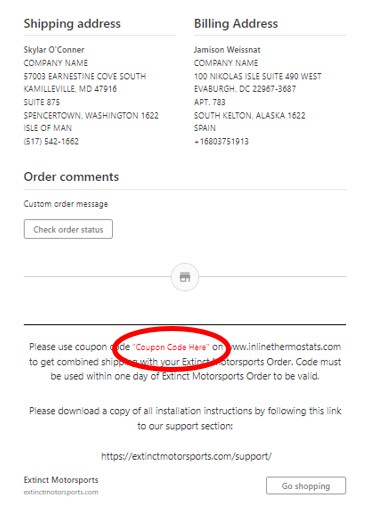
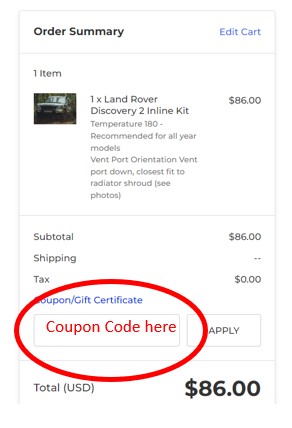
Click here to learn how to get combined shipping with an Inline Thermostats order
Ordering an Inline Thermostat kit too?
Add the combined-shipping option to this order, check out here, and use the coupon code in your confirmation email at InlineThermostats.com the same day for free shipping on the thermostat kit. Click the link above to learn how.

Your Land Rover is not one computer. A Discovery II alone carries an engine ECU, a body control unit, SLABS ABS/traction control, the SRS airbag system, ACE, the automatic transmission and the instrument pack — and they all talk to each other. A $40 OBD-II reader from the parts store sees the engine and emissions side. That's it.
The failures that frustrate owners — the "three amigos", the remote that quit working, the security system gone rogue — live in systems a generic reader can't open. The Nanocom opens them. It's the diagnostic tool the Land Rover world has standardized on, built by Blackbox Solutions, a company that has done nothing but Land Rover diagnostics for two decades.
Extinct Motorsports is now the Official US Reseller for Blackbox Solutions — the full Nanocom line, stocked and shipped from Virginia. No customs clearance. No import duty. No carrier brokerage bill waiting at your door.
The D2 is my platform — my trucks, my shop, and the failure-mode work documented on this site and the forums. Here's where the Nanocom earns its keep on a D2:
The Nanocom license belongs to the tool, not to a VIN. Choose your license above and the unit ships activated for that vehicle. A license covers an engine and body combination, so it works on as many trucks of that version as you own.
Own two or three Land Rovers? Add a second and third license right here and we'll have all of them live on the unit when it arrives. Buy a different Land Rover later and you add that vehicle's license and the correct lead — you don't buy a second Nanocom.
Discovery II V8 kit (Blackbox NCOM04), shipped to a US address:
| Direct from Blackbox (Cyprus) | Extinct Motorsports (Virginia) | |
|---|---|---|
| Kit | $516.49 | $621.00 |
| Shipping | $69.14 international courier | $12.00 USPS Priority Mail |
| US import duty, paid at your door | ~$51.65 (est.) | $0 — we're the importer |
| Carrier duty-processing fee | Charged by the courier | $0 |
| Delivered total | $654+ | $633.00 |
| Arrives | After international transit and US customs clearance | Typically 1–3 business days |
Blackbox figures from their US checkout on September 19, 2026, where duty and VAT are listed as "payable on delivery." Duty estimated at the current US rate for this product; actual duty and carrier fees are set at the border. Every Evolution kit is priced the same way: at least $20 under the direct delivered cost.
On a Discovery II, I'll help you use this tool — that's my truck. On a GEMs truck, Diesel, or CANBUS vehicle, the authority is Blackbox's own documentation, videos, forum and support team, and they're very good at it. I won't pretend to be an expert on trucks I don't own.
| Vehicle | Years | Engine / ECU | License code |
|---|---|---|---|
| Discovery II | 1998–2004 | V8 (Bosch Motronic) | NCOM-D2_V8 |
| Discovery II | 1998–2004 | Td5 | NCOM-D2-TD5 |
| Range Rover P38 | 1999–2001 | V8 (Bosch Motronic) | NCOM-P38-BoschV8 |
| Range Rover P38 | 1994–1998 | V8 (GEMS) | NCOM-P38-GEMS |
| Range Rover P38 | 1994–2001 | 2.5 Diesel (EDC / DSE) | NCOM-P38-300Tdi-2.5EDC |
| Defender | 1993–1998 | NAS / 50th | NCOM-Defender-GEMS |
| Defender | 1998–2006 | Td5 | NCOM-Defender-TD5 |
| Defender | 2007–2015 | 2.2 or 2.4 TDCi (Puma) | NCOM-Defender-PUMA |
| Discovery I | 1989–1998 | V8 (GEMS) | NCOM-D1-GEMS |
| Discovery I | 1989–1998 | 2.5 Diesel (EDC) | NCOM-D1-300Tdi-2.5EDC |
| Discovery 3 / LR3 | 2005–2009 | All | NCOM-LR3-D3 |
| Discovery 4 / LR4 | 2010–2014 | All | NCOM-LR4-D4 |
| Freelander 2 / LR2 | 2007–2014 | All | NCOM-LR2 |
| Range Rover L322 | 2010–2013 | All | NCOM-RR-L322-10-13 |
| Range Rover Sport | 2005–2009 | All | NCOM-RRS-05-09 |
| Range Rover Sport | 2010–2013 | All | NCOM-RRS-10-13 |
| Range Rover Evoque | 2012–2015 | All | NCOM-Evoque |
| All supported models | — | Full unlock (workshop) | NCOM-ALL |
Blackbox publishes a guide for every system the Nanocom talks to. Read exactly what it does on your truck before you order:
Every document and video, organized by vehicle: the Nanocom Documentation Library.
Need only fault codes, or a lighter tool for a newer model? See "Which Blackbox tool do I need?" in the FAQs below.
Choose your vehicle from the dropdown above the Add to Cart button — every option is a specific kit for a specific model, year range and engine management system. The full compatibility table is in the description. If you aren't sure which engine management your truck has email extinct@extinctmotorsports.com and I'll confirm the kit before you order.
US-market Discovery IIs are V8s — License code NCOM-D2V8. The NCOM-D2TD5 is for the Td5 diesel. Each D2 kit includes two licenses: the engine management unlock for that engine, and the Discovery II systems unlock for the rest of the truck. A Td5-licensed Nanocom cannot talk to a V8 engine ECU, and vice versa.
No. A generic OBD-II reader talks to the emissions-related side of the powertrain. It cannot open the body control unit, ABS/traction, airbag, transmission or instrument pack on these trucks — which is where most Land Rover electrical grief lives. It also can't command actuators, code modules, bleed brakes, change settings, or program keys.
It will clear them. More importantly, it reads the SLABS fault code that tells you why they lit - the exact fault cause (wheel sensor is most common - tells you exactly which wheel). Clearing the lights without fixing the cause just means they come back — usually right away.
No — that's the SLABS ECU by design. ABS diagnostics drop out once road speed passes roughly 8–20 mph. To check wheel speed sensors, jack each wheel and rotate it by hand while watching the live data. Same method the dealer tool uses.
Check the diagnostic socket fuse before anything else. Discovery II: fuse 20 (15A), passenger fuse box. P38: fuse 33 (5A), engine fuse box. Defender: fuse 8 (5A), passenger fuse box. Then read the next question.
Yes, and it matters for your warranty. Connecting: lead to the Nanocom first, fixing screws tight, then the lead to the truck. Disconnecting: pull the lead from the truck first, then from the Nanocom. Doing it backwards can blow the diagnostic socket fuse or damage the Nanocom. Also: don't cut power while it's saving or talking to a module, and use only light pressure on the glass touchscreen - we recommend a foam tipped stylus (not included).
No. The license belongs to the Nanocom unit itself, not to a vehicle. You can use your kit on any vehicle it's licensed for — your truck, your buddy's truck, the one you're thinking about buying.
No. Buy the kit for one vehicle, then add unlock codes for the other vehicle plus the correct connection lead if it needs a different one. Unlock codes are tied to your Nanocom's unit ID and are delivered digitally once your unit is registered on the Blackbox dashboard. If you'd rather not deal with it, email us your Nanocom ID and the vehicle you're adding and we'll sort the codes and the lead.
Not for day-to-day diagnostics. The Nanocom is a self-contained handheld with a touchscreen — plug into the diagnostic port and go. It lives in the glovebox, which is exactly where you want it when something lights up 200 miles from home.
Two ways. Blackbox runs a free online emulator that lets you walk the menus in your browser. But even better US residents can rent a Nanocom for a week from us (not all truck models available, contact us for details).
Compare the delivered total, not the sticker. Blackbox's US checkout shows the kit price plus about $59 in courier shipping, and leaves import duty and VAT "payable on delivery." Our price includes the import — you add $12 USPS Priority shipping and pay nothing at your door. Every Evolution kit comes in at least $20 under the direct delivered cost (see the comparison table in the description), and it arrives in typically 1–3 business days. Same tool, same factory firmware and support — minus the international shipping, US import duty and carrier brokerage fee that land on your doorstep when you import it yourself. We're the importer of record, so that's handled before it ever reaches you. It ships from Virginia, and if something needs sorting out, you're dealing with a US business in your time zone.
Nanocom Evolution — full diagnostics: fault codes, live data, actuator tests, resets, coding and programming. The one to own if you work on your own truck.
Nanocom LITE — essential diagnostics for supported 2005–2017 models, without Evolution's full live data, actuations and coding. Upgradeable to Evolution later.
Faultmate FCR — model-specific, one-button fault code read and clear. No live data, no coding, not upgradeable.
EAS Kicker / BasicBits — single-purpose glovebox tools, e.g. getting a P38 or Classic air suspension out of fault mode at the roadside.
CAN-BLOCK — not a diagnostic tool; a hidden anti-relay-theft module for keyless-entry models.
Blackbox publishes a user manual, a quick setup guide, coverage manuals and a separate guide for each ECU — every setting, live-data value and test it can run. We've organized all of them by vehicle in our Nanocom Documentation Library. Read your truck's guides before you order; you'll know exactly what you're getting.
Create an account on the Blackbox Solutions dashboard, choose Register Nanocom, and enter the unit ID shown on the handheld under NANOCOM → SETUP → NANOCOM ID. Registration gives you access to your unlock codes, firmware and additional vehicle licenses. Your unit arrives already activated for the vehicle you ordered, so registration is for firmware updates and future vehicle additions. Keep the packing slip — your Nanocom ID and order reference are on it.
Yes. Licenses stay with the unit, which is good — but a unit already registered to someone else may need Blackbox to process the transfer before it registers to you. Confirm which unlocks it actually carries before you pay for it.
Blackbox hardware carries a 12-month manufacturer's warranty against manufacturing defects. Start with us: email what the unit is doing and we'll work it through with Blackbox rather than leaving you to file a claim overseas on your own. Damage from dropping the unit, pressing on the screen, or pulling the lead in the wrong order isn't a warranty matter — see the connection question above.
Unopened hardware follows our standard Shipping & Returns policy. Unlock codes and licenses are digital and cannot be returned once issued — that's Blackbox's policy and it applies no matter where you buy. Choose carefully, and email me if you're unsure.
On a Discovery II I'll help you get the tool connected and reading. Diagnosing your specific fault is a different job — the D2 section of LandRoverForums.com and our free Discovery II Resource Center are the right places for that. For every other model, Blackbox's documentation, videos and Nanocom forum are the authority.
Yes, but depending on where you are in the world you might be better served ordering directly from Blackbox Solutions or their reseller in your market. Western Hemisphere (same time zone) or Asia — we might still be a better option than ordering direct or from Europe. Contact us for details.




How to get combined shippng with Extinct Motorsports Order and Inline Thermostats order